
IT Services will soon begin rolling out the latest Windows 11 feature update (version 25H2) to corporate workstations.
23 days ago
This update forms part of our ongoing programme to keep devices up-to-date, secure, reliable and performing efficiently. The upgrade introduces a range of improvements to the Windows experience, together with the latest security and reliability enhancements from Microsoft.
What do I need to do?
Once the update has downloaded to your device, you will receive a notification asking you to restart your computer to complete the installation.
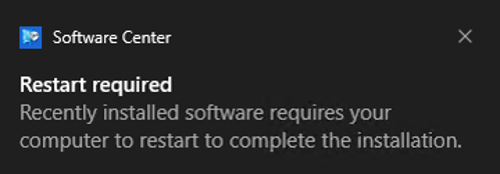
Please restart your device at your earliest convenience when prompted to minimize future disruption.
How long will it take?
Following a successful restart of your system, the installation process may take up to 30 minutes to complete, depending on the version of Windows currently installed on your device and the hardware being used.
During this time, your device will display a Working on Updates screen.
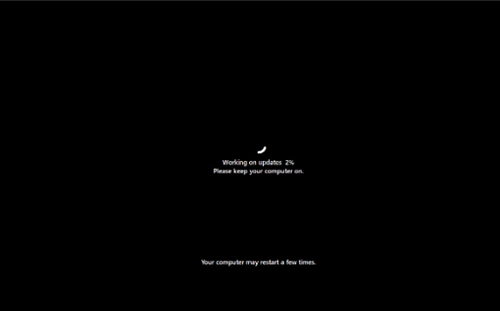
Important: Do not switch off or unplug your device while updates are being installed, as this may cause the installation to fail.
Will this affect my applications?
We don’t anticipate any compatibility issues with applications or routine operations. Comprehensive testing was conducted against core business systems prior to deployment to facilitate a seamless upgrade process.
Need Help?
If you experience any issues following the upgrade, please contact the IT Service Desk so that the issue can be investigated and resolved as quickly as possible.
Thank you for your cooperation as we continue to keep our systems secure, supported and up to date.